
Left mouse button - create a unit Right Mouse Button + CTRL - Delete Unit WASD + Right Mouse Button (Hold) - alternative Move Shift - speed up movement Q / E - rotate the camera



Funny Battle Simulator 2
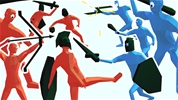
The chaotic tactical sandbox returns with more scale in Funny Battle Simulator 2, which is a physics based strategy game that introduces brand new units, crazier physics, and massive battlegrounds. As a commander, your objective remains to assemble a loyal army, manage your expanding gold budget, and deploy your forces strategically to completely crush the enemy lines in hilarious spectator combat.
How to Play Funny Battle Simulator 2
Your main objective is to clear the field by wiping out the opposing army across various progressive levels. Before the simulation begins, inspect the enemy layout and plan your counter strategy. Select from an upgraded roster of unique fighters, including kamikaze units, giant riders, and ranged shooters, then position them carefully on the grid. Launch the battle and observe how your custom formations perform under chaotic ragdoll laws.
Controls
- Unit Placement: Use the Left Mouse Button to click on fighters from the recruitment menu and place them onto your side of the battlefield. Hold the Right Mouse Button and move the mouse to navigate your camera angle.
- Clean Canvas: Press the Clear button or use the specific hotkeys to remove unwanted units before the combat sequence starts.
Strategies
- Utilize Specialized Counter Units: This sequel introduces specialized troops designed to break specific defensive walls. Look closely at the enemy line and use fast explosive runners to disrupt tightly packed shield formations before your main infantry moves in.
- Exploit High Ground and Spacing: Spacing is incredibly vital in this tactical arena. Spread your ranged archers or artillery units far apart on the back grid so they do not all get wiped out simultaneously by a single enemy area attack.
- Test Combinations in Sandbox Mode: If a specific campaign level proves too difficult, use the sandbox features to test custom unit interactions. Learning exactly how much damage a giant can absorb before falling helps you budget your army much better.
More Games Like This
If you like this game, check out our Strategy Games category. Explore our Battle Games or Arena Games for more fun.
Left mouse button - create a unit Right Mouse Button + CTRL - Delete Unit WASD + Right Mouse Button (Hold) - alternative Move Shift - speed up movement Q / E - rotate the camera