

Drive with Arrows or WASD keys




















3D Car Simulator
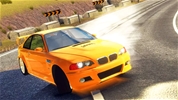
Drive fast in 3D Car Simulator! Choose from a police car, rally car, or classic vehicle to explore massive maps and test your driving skills now.
How to Play 3D Car Simulator
3D Car Simulator is an immersive and fast-paced driving game designed to test your behind-the-wheel skills in highly detailed environments. To play the game, you begin by selecting one of three distinct maps and choosing your vehicle from a lineup that includes a high-speed rally car, an authoritative police car, or a charming old classic. Once your choices are made, you hit the open road to explore the terrain, pull off maneuvers, and experience maximum acceleration.
The controls are straightforward and tailored for a smooth simulation experience. You drive the vehicle using either the WASD keys or the Arrow keys on your keyboard. If you need to stop quickly or drift around sharp corners, press the Space bar to engage the handbrake. To get a better view of your surroundings or shift to a more immersive perspective, tap the C key to change the camera angle. Additionally, you can instantly swap to a different vehicle during gameplay by pressing the Shift key, and if you flip your vehicle or get stuck, hitting the R key will instantly reset the car back onto the track.
If you choose to drive the police car, you can activate or deactivate the functional emergency lights by pressing the E key to enhance your roleplaying experience. The game is built entirely around free-roaming exploration and skill testing with no strict timers, allowing you to push each unique car to its absolute limits, navigate through massive maps, and master handling at breakneck speeds.
More Games Like This
If you like 3D Car Simulator, check out Driving Games. Check out our 3D Games or Car Games for more fun.
Drive with Arrows or WASD keys