

(W)(A)(S)(D) / (Arrowkeys) : Drive (Space) : Nitro (Shift) : Drift Double-Tap (Shift): U-Turn (Z) / (LMB) : Fire Primary (X) / (RMB) : Fire Secondary (F) / (MMB) : Use Special Weapon (C) : Look Behind (1) - (0): Dialog Hotkeys Hold (`) : Show Dialog Wheel (V) : HUD Toggle (ESC) / (P) : Pause For gamepad controls see ingame helpscreen!










Burnin Rubber Multiplayer
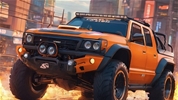
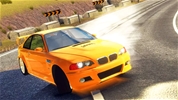
Burnin' Rubber Multiplayer is an adrenaline-fueled 3D combat racing game that brings the franchise's signature vehicular warfare into a thrilling online arena. To play the game, your ultimate goal is to challenge real players from around the world, outdrive your opponents on treacherous tracks, and use heavy firepower to blast rival cars into pieces. By securing victories in intense multiplayer lobbies, collecting cash rewards, and unlocking a superior arsenal of weapons and armored vehicles, you can climb the global leaderboards and prove yourself as the ultimate online combat driver.
How to Play Burnin Rubber Multiplayer
Surviving the chaotic online grids of this multiplayer action racing simulator requires sharp drift precision, lightning-fast reflexes, and aggressive tactical shooting. When a match kicks off, you spawn alongside heavily armed human players who are all vying to demolish one another and cross the finish line first. Your primary objective is to maintain maximum speed through tight corners while continuously aiming and firing your primary and secondary weapons to eliminate cars blocking your path. To dominate the live lobbies, you must master track layouts, collect active weapon drops, and keep your vehicle's armor bar from reaching zero.
Master the Online Combat Controls and Driving Mechanics
- Steer Your Battle Car: Use the W, A, S, D keys (or the Arrow keys) on your keyboard to accelerate, brake, and drift around sharp track corners.
- Fire Primary Weapons: Press the Left Mouse button (or the Spacebar) to fire your primary mounted machine guns or laser cannons at rival players ahead of you.
- Launch Secondary Weapons: Click the Right Mouse button (or press the Shift key) to unleash heavy secondary artillery like tracking missiles, rockets, or explosive landmines.
- Track Your Opponents: Press the C key on your keyboard to instantly look behind your vehicle to see if an aggressive online rival is attempting to ram or lock onto you.
- Adjust Your Camera View: Press the V key to toggle through different camera angles to optimize your field of view during intense multiplayer crossfire.
Advanced Strategies for Dominating Live Lobbies
Achieving a flawless victory against real opponents demands a highly strategic approach to using your weapons rather than just relying on raw speed. Instead of wasting your secondary tracking missiles on distant targets, hold onto them until your rival enters a narrow straightaway or slows down to take a sharp turn, ensuring a guaranteed explosive hit. Make it a constant habit to alter your racing line to drive directly through glowing repair wrenches and ammo boxes scattered across the track to keep your vehicle fully operational mid-race. In the main menu, balance your garage budget by upgrading your vehicle's defensive armor alongside your weapon damage, as surviving the heavy crossfire of live human lobbies is much more vital than focusing entirely on top speed attributes.
If you like Burnin Rubber Multiplayer, check out our Driving Games category. Explore our car Games or Multiplayer Games for more fun.
(W)(A)(S)(D) / (Arrowkeys) : Drive (Space) : Nitro (Shift) : Drift Double-Tap (Shift): U-Turn (Z) / (LMB) : Fire Primary (X) / (RMB) : Fire Secondary (F) / (MMB) : Use Special Weapon (C) : Look Behind (1) - (0): Dialog Hotkeys Hold (`) : Show Dialog Wheel (V) : HUD Toggle (ESC) / (P) : Pause For gamepad controls see ingame helpscreen!