

Desktop: Arrow keys or W,A,S,D to move the character. Mouse to turn the character, aim and shoot. L to lock pointer.Mobile: Use on-screen joystick to move, fire button to shoot, tap and drag on right side of the screen to aim and turn the character.








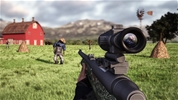
Bullet Fury 2
Bullet Fury 2 is an intense and action-packed 3D first-person shooter (FPS) game that plunges you into a dangerous military compound swarming with hostile forces. To play the game, your ultimate goal is to take on the role of an elite soldier and eliminate all enemy troops hiding throughout the secret facility. By clearing tight corridors, utilizing covers strategically, and reacting faster than your opponents, you must wipe out the entire opposing squad to successfully complete your high-stakes tactical mission.
How to Play Bullet Fury 2
Surviving the heavily guarded sectors of this thrilling tactical combat simulator requires sharp aim, steady crosshair control, and constant spatial awareness. When the mission kicks off, you spawn at the entrance of a complex industrial base equipped with an automatic assault rifle. Your primary objective is to move cautiously through the maze-like hallways, locate the exact number of hidden enemy guards, and neutralize them before they drain your health bar. To secure a flawless victory and advance to harder difficulty tiers, you must carefully check every corner and manage your ammunition efficiently during intense firefights.
Master the Tactical FPS Controls and Combat Mechanics
- Move Your Soldier: Use the W, A, S, and D keys (or the Arrow keys) on your keyboard to walk, strafe, and navigate through the corridors of the military base.
- Aim and Shoot: Move your Mouse cursor to look around and align your crosshair, then click the Left Mouse button to open fire on hostile targets.
- Sights and Precision: Hold down the Right Mouse button to look down your weapon's iron sights or scope for a significantly more accurate long-range shot.
- Reload Ammunition: Press the R key on your keyboard to swap out an empty magazine and reload your weapon before entering a new room.
- Monitor Vital Stats: Keep a close eye on your remaining health counter and bullet count displayed on your screen overlay to avoid being caught off guard.
Advanced Strategies for Elite Combat Survival
To successfully clear the base in Bullet Fury 2 without running out of health on higher difficulty settings, you should never rush blindly into open rooms. Rushing forward exposes you to crossfire from multiple angles, allowing the AI guards to quickly deplete your health. Instead, practice a method called "peeking corners" by slowly stepping out from behind walls to engage only one enemy at a time. Aim your crosshair at upper chest or head level to take down guards much faster and save your limited ammunition. If you sustain heavy damage during an ambush, retreat behind a solid corner or crates immediately to assess the situation before re-engaging. Lastly, always make it a habit to tap your reload key after every minor firefight so that you never enter an unpredictable room with a half-empty magazine.
If you like Bullet Fury 2, check out our Shooting Games category. Explore our Survival Games or FPS Games for more fun.
Desktop: Arrow keys or W,A,S,D to move the character. Mouse to turn the character, aim and shoot. L to lock pointer.Mobile: Use on-screen joystick to move, fire button to shoot, tap and drag on right side of the screen to aim and turn the character.