
Click on an empty tile to add a new building.



















City Blocks
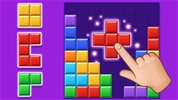
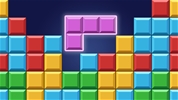
City Blocks is a captivating and highly strategic puzzle game that combines city-building elements with deep merging mechanics. Immersing yourself in this urban planning simulator requires you to place cute little structures onto a limited grid, matching identical buildings to upgrade them into grander architectural marvels. By carefully managing your available space, predicting future construction tiles, and maximizing your town's population, you can design a thriving metropolis and achieve an unbeatable high score.
How to Play City Blocks
Developing a bustling mega-city in this clever grid-based simulator demands excellent spatial awareness, patient planning, and a sharp merging strategy. When a fresh game begins, you are given a clean, empty isometric layout and a small queue of incoming buildings like houses, shops, and parks. Your primary objective is to position these tiles next to each other to create higher-tier structures, freeing up vital space on the board. The game continues as long as you have open slots to place new buildings, so preventing your grid from becoming completely congested is the ultimate key to survival.
Master the Urban Merging Controls and Grid Mechanics
- Place Construction Tiles: Move your Mouse cursor over the isometric grid and click (or tap your touchscreen on mobile devices) on an empty square to drop your current building.
- Merge Identical Structures: Line up three or more matching buildings of the exact same level directly adjacent to one another to instantly fuse them into a single, advanced property.
- Preview Upcoming Buildings: Keep a close eye on the queue indicator at the side of your display to see exactly which type of structure is coming up next in your rotation.
- Track Total Population: Monitor the civilian counter at the top of the interface, as unlocking higher-tier skyscrapers exponentially increases your total community numbers.
- Utilize the Joker Slot: Use your earned special resources to occasionally swap out an inconvenient building tile for a helpful wildcard piece that fits perfectly into your current layout.
Advanced Strategies for Maximum Metropolitan Growth
Placing your building tiles randomly on open spaces will rapidly fill up your grid and trigger an early game over screen. Solving high-population city puzzles efficiently relies on organizing your board by keeping your highest-tier skyscrapers clustered tightly in one dedicated corner or along the outer borders. Treat the center of your grid as a flexible workflow zone where you can easily shuffle, combine, and upgrade lower-level houses before sliding them into your main structural lines. Always double-check your preview queue before placing a tile, ensuring you leave at least two open neighboring spaces to accommodate the upcoming matching pieces needed to trigger a massive chain-reaction merge.
More Games Like This
If you like City Blocks, check out our Puzzle Games category. Explore our Match 3 Games or Merge Games for more fun.
Click on an empty tile to add a new building.